
Your needs, this model
Does it fit your priorities?
Can I follow one roast and the oven air without using a phone?
Yes. One cabled probe has food and ambient sensors; use the dial to view cooking-air temperature on the local screen. It remains one food position.
Explore this need in the finder →Can I enter my recipe temperature instead of using a meat preset?
Yes. MANUAL accepts a user-selected target and the local unit sounds at that core temperature. This changes the target, not sensor calibration.
Explore this need in the finder →Can the magnetic display go on any warm metal surface?
No. The electronics stay outside the oven; the maker limits the mounting surface to 122°F. Oven broiler/grill-function use is explicitly excluded.
RÖSLE 25086: one probe follows meat and cooking air
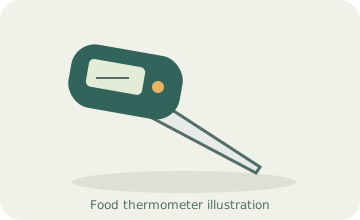
This RÖSLE thermometer is a useful choice when you want to watch one roast and the surrounding cooking temperature from a local display. Its cabled probe contains separate core and ambient sensors. That gives it a more informative role than a basic one-sensor meat monitor, without requiring a phone, account or radio receiver.
The current maker page explicitly links article 250086 to old product number 25086. This review follows that documented connection and the 25086 operating book. It does not infer a second-generation upgrade merely from the additional zero in the catalogue number.
Two sensors do not mean two foods
The probe's pointed section measures the meat, and another sensor reports the surrounding temperature. Insert the probe deeply into the center of the food as directed, leaving the appropriate ambient-sensing section exposed. You can check the air reading with the setting dial; the display returns to its ordinary core-temperature view after ten seconds.
This is still one food-measurement position. It can help you see whether the cooking environment is changing while the roast progresses, but it cannot independently follow another joint. For several foods with separate endpoints, choose a system with more food probes rather than counting the two sensors as two supplied probes.
A real manual target, beyond the meat presets
The controls combine a setting dial with a Set button. You can select a meat and doneness preset or use MANUAL to enter a target yourself. Reaching the selected core temperature triggers a local audible signal. This makes the thermometer useful for a recipe with its own endpoint instead of requiring every cook to fit an old preset table.
The manual also describes editing some stored meat values. That is a target-setting feature, not sensor calibration. Changing a preferred cooking endpoint does not correct an inaccurate measurement. Use current food-safety guidance for the preparation involved, and do not assume that the older manual's doneness chart is the authority for every meal.
The display stays outside the oven
The stated measurement span is -4–482°F. The maker permits oven and barbecue use, but explicitly excludes the oven's grill/broiler function. Keep the cable away from glowing coals, hot gas burners and concentrated hot spots. A suitable cooking-air temperature does not make direct contact with those heat sources acceptable.
The one-meter lead lets the display remain near the oven. If using its rear magnets on an oven-door rim, the instructions limit that mounting surface to 122°F. This lower electronics-location limit is easy to overlook when comparing the much higher probe range. Do not attach the display to a convenient but hot metal surface.
A high-temperature warning is also described, but it is a protection warning rather than an invitation to cook beyond the rated range. Plan the setup before heating the cooker, and handle the hot probe and lead with appropriate protection.
Useful local controls, with local responsibilities
The screen can use English, French or German, with a separate Fahrenheit/Celsius selector. A built-in timer can run alongside the thermometer. Its countdown signal measures time, however; keep it distinct from the alarm for core temperature. Neither alert sends a notification to another room or to a phone.
Two CR2032 batteries power the unit. Clean the probe and cable with a damp cloth and keep liquids away from the display. The exact instructions prohibit dishwasher cleaning and warn that moisture can damage the assembly. Unplug the lead and use the supplied probe holder for storage rather than winding a sharp bend into the cable.
Choose the 25086/250086 configuration for one food plus cooking-air readings, a manual target and a screen beside the cooker. Choose more food probes for multiple dishes, a receiver for carry-around viewing, or a fully wireless model for a turning spit. This is the documented European maker configuration, not a separately assumed US retail version.
Key details at a glance
| Documented spot-check use | No |
|---|---|
| Documented leave-in monitoring | Yes |
| Included food probes | 1 |
| Fahrenheit display | Yes |
| Celsius display | Yes |
| Dishwasher-safe food probe | No |
| Measuring without batteries or charging | No |
| Documented food range minimum | -4°F |
| Documented food range maximum | 482°F |
| Whole probe surrounding-heat maximum | 482°F |
| Power arrangement | Two 3 V CR2032 batteries; local display only. |
| Care notes | Damp-cloth probe/cable cleaning; no dishwasher. Keep display dry and outside oven; magnetic mounting surface ≤122°F. |
Use the exact model’s instructions for operating limits, supplied equipment and version differences.
Sources for this assessment
Find a thermometer for your cooking routine.
Compare the documented measuring setups, included equipment and features that matter to you.