
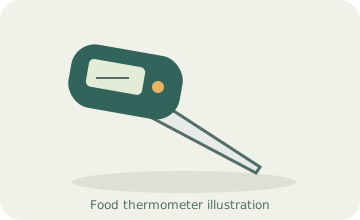
Your needs, this model
Does it fit your priorities?
Can I adjust the indicated temperature myself?
Yes. The exact guide identifies a calibration screw and an ice-bath adjustment procedure. This is actual user adjustment, not merely a factory certificate.
Explore this need in the finder →Can I leave it in a roast inside the oven?
No. The guide expressly says not to leave it in an oven and gives the LCD case a much lower exposure limit than the food-measurement range.
Explore this need in the finder →Can I view both Fahrenheit and Celsius without a phone?
Yes. The attached display has an explicit unit-selection button. This is a local spot-check routine.
Explore this need in the finder →The 9842FDA is a practical spot-check thermometer for someone who wants an attached food probe and a documented way to adjust calibration. Its original guide describes a small calibration screw rather than merely promising factory accuracy. The main limit is equally clear: the electronic display cannot be left in the oven.
Use the stem, then wait for a stable value
Taylor's instructions call for inserting the stem at least one inch when taking the reading. That is an important part of the routine, especially when checking a shallow or small item. A thin tip does not eliminate the need to position the sensing area correctly.
The manual's specification lists one response duration, while its operating text describes a longer approximate time to a completed reading. It is therefore more useful to wait for stabilization than to assume the shortest printed number always applies.
When several foods need checking, clean the stem between them and take the relevant measurements separately. A single reading at one location cannot describe every part of a large item. Use the applicable food-specific guidance to decide where and when to check.
A sleeve with a second purpose
The pocket sleeve protects the stem during storage. The guide also describes using its small hole to make a handle arrangement that helps keep the user's hand away from heat.
That is a useful piece to check on an older unit. A thermometer sold without its sleeve can still look complete in a photograph, but it is missing part of the documented handling arrangement. The probe itself may remain hot after a measurement.
Calibration adjustment is real, but should be deliberate
The exact manual identifies a screw that changes the indicated temperature and explains an ice-bath adjustment procedure. A user who specifically needs this capability has stronger evidence here than a generic calibrated label would provide.
Follow the entire procedure and allow the reading to stabilize before making a small correction. Calibration adjustment is not a way to repair a damaged sensor or reconcile a reading with a preferred degree of doneness. If something seems wrong, check the setup and condition before changing the indication.
Water resistance depends on the closure
The guide describes a rubber battery door and warns that poor seating can admit water. Correct replacement and closure are therefore part of the original design's care, not incidental details.
It uses one LR44 cell. When examining an older example, check the battery compartment and door rather than assume a waterproof product title means the seal is still intact. The original material does not establish dishwasher permission, so that should not be inferred from the water-resistant description.
A measurement range is not an oven rating
The stem's stated measuring range extends from-40°F to 450°F. The LCD case has a much lower permitted exposure range, and the guide explicitly forbids leaving the instrument in an oven. It is a checking tool, not a leave-in roasting monitor.
If you want an alarm while a roast cooks, compare a documented cabled or wire-free monitoring setup whose sensor can stay in the food. If a direct reading and user calibration are the priorities, the 9842FDA's original instructions describe those functions clearly.
This review follows the exact original Taylor manual. Its historical model code is kept separate from any unverified current offer, and cooking targets should come from current food-specific safety guidance.
Key details at a glance
| Documented spot-check use | Yes |
|---|---|
| Documented leave-in monitoring | No |
| Included food probes | 1 |
| Fahrenheit display | Yes |
| Celsius display | Yes |
| User calibration adjustment | Yes |
| Measuring without batteries or charging | No |
| Documented food range minimum | -40°F |
| Documented food range maximum | 450°F |
| Probe-tip diameter | 1.5 mm |
| Manufacturer accuracy claim | Original manual Fahrenheit statement ±1°F from 0–230°F, ±3.6°F outside that band; the associated Celsius conversion has a source typo. |
| Power arrangement | One included 1.5 V LR44 alkaline cell. Battery-door seating is part of the documented water seal. |
| Care notes | Clean and disinfect between uses; water resistance does not establish dishwasher permission. |
Use the exact model’s instructions for operating limits, supplied equipment and version differences.
Sources for this assessment
Find a thermometer for your cooking routine.
Compare the documented measuring setups, included equipment and features that matter to you.