
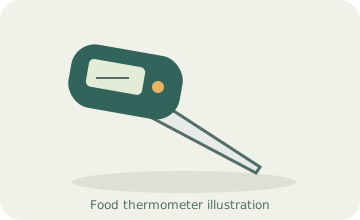
Your needs, this model
Does it fit your priorities?
Can it beep at a temperature I select from the presets?
Yes. Choose a supported meat/doneness setting; the original describes sound and screen flicker at that selected target.
Explore this need in the finder →Do two fork tines monitor two foods at the same time?
No. They form a single handheld fork measurement; this is not a two-channel monitor.
Explore this need in the finder →Can I assume it stays inside an oven?
No. The read instructions establish checking food by hand, not an unattended oven configuration.
Explore this need in the finder →A fork for checking food while you stay at the grill
Taylor 5262231 is most useful when you want a long-handled food check and a visible, audible response to a selected preset. The length separates your hand from the immediate cooking surface, while the display remains on the tool you are holding. It makes less sense for a cook who wants to close the oven and receive a notification in another room. The original instructions establish a handheld checking routine, not an unattended oven system.
Two tines should not be counted as two independent food channels. This is one fork used to check one position at a time. If you are cooking several pieces, check them as separate items rather than expecting the fork to supervise all of them because it has two points.
Choose the target, then confirm what the screen shows
The exact Taylor product page identifies SKU 5262231. Its linked original instructions include that number in a shared model line and describe the MEAT and TASTE controls. Those controls choose a supported preset; the guide does not establish a general numerical target editor. That matters if your recipe or food requires a target the menu does not provide.
The original also explains how to check temperature without setting an alarm. That can be useful when you want the number itself rather than a preset-driven decision. Do not choose a menu label merely because it sounds close to your task. Compare the actual target with current official minimum-temperature and rest guidance. A saved cooking preference is not an automatic safety judgement.
A preset alert still depends on where you put the tines
The instrument can signal when the current reading meets the selected target. First make sure the tines are measuring the food position you intended. A thick roast, an irregular piece and a thin burger present different insertion problems. A long handle does not guarantee that a tip reached the centre rather than a hot surface or an air pocket.
For a mixed tray or several cuts, use the fork to compare appropriate positions in turn. If one item gives an unexpected reading, investigate it rather than treating the first alert as a verdict on the entire batch. When a fine needle-style probe is easier to place in thin food, that may be the more useful tool even if a fork is convenient for a large piece.
Learn the light controls before the food is ready
The original button sequence distinguishes setting changes from illuminating the display. Learn that sequence when the tool is cool. Accidentally changing a preset while trying to turn on a light can be more troublesome than a dim screen. Check the displayed target again after handling the controls.
The documented power supply is two AAA batteries. Test the display and alert before a meal, and keep the food-contact portion clean before touching ready-to-eat food. The maker’s handwash-only directions matter: a fork-shaped tool is not automatically washable in the same way as an ordinary all-metal serving fork.
Where a simpler or different thermometer wins
Choose a thin handheld probe if small insertion marks and access to narrow foods are the priority. Choose a cabled or genuinely cable-free leave-in monitor if the reading must continue with the enclosure closed. Choose a custom-target instrument if selecting an arbitrary number is essential. The 5262231 is a practical choice only when its preset-based handheld workflow matches the way you cook.
This review uses the exact makerSKU and original operating document. A similar historical retail number with an extra digit has not been treated as a confirmed product-link alias. The useful decision is the actual fork’s handling and controls, rather than a promise that every similarly titled offer has the same functions.
Key details at a glance
| Documented spot-check use | Yes |
|---|---|
| Included food probes | 1 |
| Fahrenheit display | Yes |
| Celsius display | Yes |
| Illuminated instrument readout | Yes |
| Dishwasher-safe food probe | No |
| Measuring without batteries or charging | No |
| Documented food range maximum | 230°F |
| Power arrangement | Two AAA; local buttons select meat/doneness presets and operate the backlight. |
| Care notes | Handwash only; wipe clean and dry immediately as directed by Taylor. |
Use the exact model’s instructions for operating limits, supplied equipment and version differences.
Sources for this assessment
Find a thermometer for your cooking routine.
Compare the documented measuring setups, included equipment and features that matter to you.