
Your needs, this model
Does it fit your priorities?
Will the number turn upright when I use the other hand?
Yes. The TP622 specifies an automatically rotating readout as well as illumination; this is different from simply rotating the probe hinge.
Explore this need in the finder →Can I leave it in a roast and wait for an alert?
No. It is a handheld spot-check instrument. The current maker page and original instructions exclude continuous leave-in use.
Explore this need in the finder →Can I check and adjust its calibration myself?
Yes. The original booklet gives an ice-water calibration procedure and a way to restore the default adjustment. A correct reference setup matters.
Explore this need in the finder →A screen that follows your hand
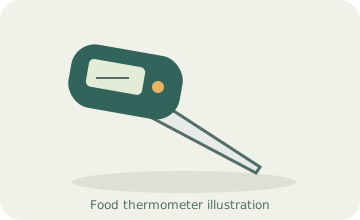
The TP622 Lightning is most useful when the way you hold a thermometer makes its display difficult to read. The illuminated characters rotate automatically, so checking food from the opposite side of a pan or with the other hand does not leave the number upside down. That is a different convenience from merely swinging a folding probe to another angle.
This is a spot-check thermometer. Bring it to the food, insert the tip, allow the reading to settle and remove it. It is not the right choice for leaving a sensor in a roast throughout cooking or waiting for a target alarm. If that is your routine, compare a documented leave-in monitor such as the Taylor 1470N.
Prioritise the reading routine over a speed headline
The current TempPro page and an earlier ThermoPro Lightning booklet make different response-time and accuracy claims. We do not combine those into a personal test result or assume every edition delivers the same advertised performance. The useful buying decision is whether a folding pen with a lit rotating display fits the checks you make most often.
Fast response can reduce the time you hold a hand near a hot pan, but correct placement still comes first. Put the sensor in the portion you want to assess and wait for the number to settle. A quick reading against a hot tray or bone is not made representative of the food by the instrument's response speed.
Opening, holding and putting it away
Unfolding the probe turns the instrument on. The documented sleep-and-wake functions reduce the number of button presses between checks, while the hold function lets you retain a reading briefly after withdrawing the tip. Use that feature after the reading has stabilised, especially when the easiest insertion angle points the display away from you.
The broad sensor range does not make the handheld body oven safe. The original instructions explicitly describe temporary handheld use and prohibit leaving it in food during cooking. Keep that boundary clear if you also own a leave-in probe: similar metal tips can belong to very different measuring arrangements.
User adjustment is available
The TP622 provides a calibration function rather than relying only on a factory-calibrated claim. The original booklet explains an ice-water procedure and a way to return to the default setting. This can be useful if a properly performed check establishes an offset, but it should not be the first response to every unexpected food temperature.
A reference mixture, sensor placement and enough settling time all affect a check. Make sure those conditions are sound before changing the adjustment. If the tool is damaged or returning unstable readings, a new offset is not a repair. Cooks who do not want to perform adjustments should still choose a tool with clear instructions for checking its condition.
Cleaning protection has limits
The instrument uses one AAA battery and includes a magnetic storage option. Keep the compartment secure, store the pointed probe folded and choose a cool surface away from cooking heat. A magnet makes storage convenient; it does not establish that a hot grill lid is a suitable place for the body.
The original booklet prohibits dishwasher cleaning and immersion, despite its splash-protection rating and running-water cleaning instructions elsewhere. Follow the care instructions for the exact unit, clean the food-contact tip and dry it before storage. Choose the TP622 for local checks with a genuinely rotating, illuminated readout. Choose another category if remote viewing, a continuous alarm or dishwasher cleaning is your essential requirement. Current maker pages may show TempPro branding while older packaging says ThermoPro; check the exact TP622 model rather than relying on the logo alone.
Key details at a glance
| Documented spot-check use | Yes |
|---|---|
| Documented leave-in monitoring | No |
| Included food probes | 1 |
| Fahrenheit display | Yes |
| Celsius display | Yes |
| Illuminated instrument readout | Yes |
| Rotating displayed characters | Yes |
| Dishwasher-safe food probe | No |
| User calibration adjustment | Yes |
| Measuring without batteries or charging | No |
| Documented food range minimum | -58°F |
| Documented food range maximum | 572°F |
| Manufacturer accuracy claim | Current page claims 0.1-second response and ±0.5°F; earlier booklet states 1 second and ±0.9°F only at 14–212°F, otherwise ±1.5%. Do not treat different claims as a measured equivalent. |
| Power arrangement | OneAAA battery. |
| Care notes | Clean as the exact instructions permit. The original booklet excludes dishwasher cleaning and immersion. |
Use the exact model’s instructions for operating limits, supplied equipment and version differences.
Sources for this assessment
Find a thermometer for your cooking routine.
Compare the documented measuring setups, included equipment and features that matter to you.